
Ford BlueCruise Explained: Hands-Free Highway Driving Guide
|
Ford BlueCruise is a hands-free highway driver-assist system that works on more than 130,000 miles of prequalified divided highways called Blue Zones, with a driver-facing camera that makes sure you keep your eyes on the road. It is available on the F-150, Expedition, Explorer and Mustang Mach-E, and it runs on a plan after a three-month trial. • Hands-free, not self-driving: you must watch the road and be ready to take over. • Blue Zones: over 130,000 miles of North American divided highways. • Available models: F-150, Expedition, Explorer and Mustang Mach-E, varying by year and configuration. • Plans: monthly, annual or a one-time purchase at vehicle purchase from a Ford dealer. |
What Is Ford BlueCruise?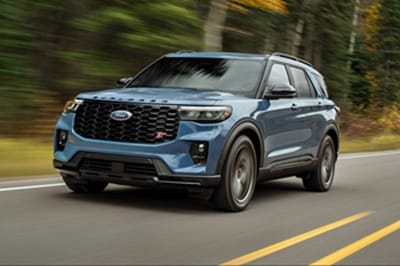
Ford BlueCruise is a hands-free highway driver-assist system. It adds hands-free driving to Adaptive Cruise Control and Lane Centering on prequalified sections of divided highway. When it is active, BlueCruise helps control steering, braking and acceleration while keeping the vehicle centered in its lane.
BlueCruise is not a self-driving system. Ford states plainly that BlueCruise "is not safety equipment and it is not self-driving." The driver must keep their eyes on the road and be ready to take control at any time.
How Does BlueCruise Work?
BlueCruise works only in Blue Zones, with a camera watching the driver's attention. Here are the three main parts of the system.
Hands-Free Blue Zones
Blue Zones are prequalified sections of divided highways where hands-free driving is allowed. Ford says these zones make up over 130,000 miles of North American roads. When you enter a Blue Zone with the feature turned on, the instrument panel turns blue and a hands-free icon appears.
Driver-Facing Camera
A driver-facing camera tracks eye gaze and head position. Its job is to make sure your eyes stay on the road, even when your hands are off the wheel.
Conditions for Use
BlueCruise needs clearly visible lane markings and the Lane-Keeping System turned on. Ford notes it may not engage, or may hand control back, when lanes are too narrow or too wide, lack markings or merge. Construction zones, sharp curves, heavy rain, snow, fog and blocked sensors can also limit it.
BlueCruise Versions Explained
Ford improves BlueCruise through software updates, and each version adds features. Ford lists these versions:
• BlueCruise 1.0: hands-free driving with Adaptive Cruise Control and Lane Centering in Blue Zones.
• BlueCruise 1.2: adds In-Lane Repositioning, which nudges the vehicle away from traffic in the next lane, and Lane Change Assist.
• BlueCruise 1.3: better handling of narrow lanes and curves.
• BlueCruise 1.4: improved in-lane stability and automatic speed adjustment in more curves.
• BlueCruise 1.5: adds Automatic Lane Change, which can change lanes without the driver using the turn signal, if equipped.
With Lane Change Assist, you tap the turn signal and the system changes lanes when the path is clear. Ford says Automatic Lane Change is currently found on the 2025-2026 Mustang Mach-E and the 2026 Explorer. To get the newest version your vehicle supports, Ford recommends turning on automatic software updates.
Which Ford Models Offer BlueCruise?
Ford lists four current models that can be equipped with available BlueCruise hardware at the time of purchase:
|
Model |
BlueCruise notes from Ford |
|
Ford F-150 |
Available hardware; BlueCruise with Towing is offered on equipped 2027 F-150 trucks |
|
Ford Expedition |
Available hardware |
|
Ford Explorer |
Available hardware; 2026 Explorer offers Automatic Lane Change |
|
Ford Mustang Mach-E |
Available hardware; 2025-2026 models offer Automatic Lane Change |
Ford notes that availability varies by model, year and configuration. Because the hardware is equipped at the time of purchase, the vehicle you choose needs to have it from the start. Ask our team which vehicles in stock are equipped, or browse our new vehicle inventory. You can also shop our new Ford Expedition inventory for a full-size SUV built for long highway trips.
Does BlueCruise Work When Towing?
Yes, on the newest F-150. Ford offers BlueCruise with Towing on BlueCruise-equipped 2027 F-150 trucks in the U.S. and Canada. For other models and model years, check with our team about how BlueCruise works with a trailer attached. Pairing hands-free highway driving with towing is a big help for owners who pull campers or boats on long trips.
How Do BlueCruise Plans Work?
BlueCruise uses a plan after an included trial period. Ford's published plan structure works like this:
1. Three-month trial: annual and monthly plans begin with a three-month trial at your warranty start date.
2. Annual plan: Ford labels this plan "Best for Most."
3. Monthly plan: Ford labels this the most flexible option.
4. One-time purchase: available only when you buy the vehicle from a Ford dealer. Ford labels it "Best Value."
An active plan is required once a trial or plan period ends, and plans are not transferable. Pricing is set by Ford and can change, so ask our sales team for current plan details. You can check a vehicle's BlueCruise status and trial dates in the Ford app after adding the vehicle's VIN.
How Does BlueCruise Relate to Ford Co-Pilot360?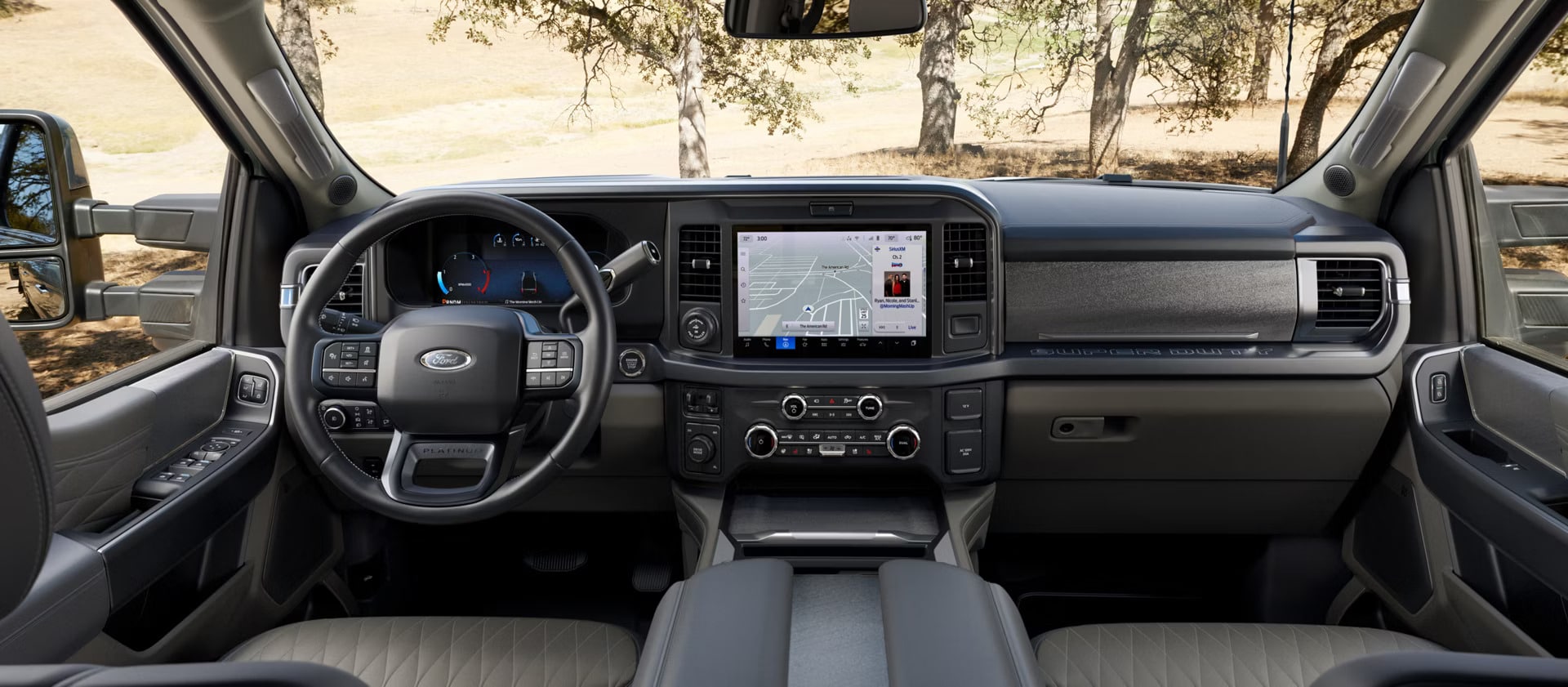
BlueCruise builds on the driver-assist features in Ford Co-Pilot360. Co-Pilot360 is Ford's family of driver-assist technologies, such as Pre-Collision Assist with Automatic Emergency Braking, BLIS with trailer coverage and Intelligent Adaptive Cruise Control. Learn more on our Ford Co-Pilot360 guide.
Think of it this way. Adaptive Cruise Control manages speed and following distance. Lane Centering helps keep the vehicle in its lane with your hands on the wheel. BlueCruise takes those features a step further by allowing hands-free driving inside Blue Zones, while the camera keeps watch on your attention.
Is Ford BlueCruise Worth It?
BlueCruise is worth considering if you spend a lot of time on divided highways. Hands-free driving can make long stretches feel less tiring, while you still stay in charge of the drive. Drivers who make regular highway trips around Florida often find it most useful.
If most of your driving is in town, the standard Co-Pilot360 features may cover what you need. The trial period is a great way to see how BlueCruise fits your routine before choosing a plan. Ask for a demonstration when you test drive a BlueCruise-equipped Ford.
Tips for Using BlueCruise Safely
BlueCruise works best when you treat it as an assistant, not a replacement for your attention. Keep these habits in mind:
• Watch the road. The camera expects your eyes forward at all times.
• Be ready to steer. Put your hands back on the wheel when the system asks or when conditions change.
• Keep sensors clean. Dirt, bugs and rain can block cameras and radar.
• Update the software. Turn on automatic updates so you have the latest version.
• Avoid modifications. Ford notes aftermarket changes such as suspension kits can prevent BlueCruise from working.
If a camera or sensor needs attention, our service team can help. Schedule service online with Jenkins Ford of Crystal River.
Test Drive BlueCruise at Jenkins Ford of Crystal River
Jenkins Ford of Crystal River is at 2440 NW Highway 19 in Crystal River and welcomes drivers from Lecanto, Ocala and the surrounding area. Explore our new vehicle inventory or our pre-owned inventory, then get pre-approved with our online finance application.
Call our sales team at 352-651-7283 or contact us to set up a BlueCruise test drive.
About the Author
This guide was prepared by the sales and service team at Jenkins Ford of Crystal River, a Ford dealership at 2440 NW Highway 19, Crystal River, FL 34428. Jenkins Ford of Crystal River sells new Ford vehicles, offers pre-owned inventory and financing, and runs a service and parts department for drivers in Crystal River, Lecanto, Ocala and the surrounding area.
References & Sources
1. Ford.com - BlueCruise Features — https://www.ford.com/technology/bluecruise/features/ (Definition, Blue Zones mileage, driver-facing camera, versions 1.0-1.5, available models, plan structure, operating conditions, BlueCruise with Towing)
2. Ford.com - BlueCruise Support — https://www.ford.com/technology/bluecruise/support/ (Activation in the Ford app, checking BlueCruise status, software updates)
3. Ford.com - BlueCruise — https://www.ford.com/bluecruise (BlueCruise adds hands-free driving to Adaptive Cruise Control and Lane Centering)
4. Jenkins Ford of Crystal River - Ford Co-Pilot360 Guide — https://www.jenkinsfordofcrystalriver.com/ford-copilot-360-crystal-river-fl.htm (Co-Pilot360 feature list)
5. Jenkins Ford of Crystal River - New Vehicle Inventory — https://www.jenkinsfordofcrystalriver.com/new-inventory/index.htm (Dealer new inventory)
6. Jenkins Ford of Crystal River - Contact — https://www.jenkinsfordofcrystalriver.com/contact.htm (Address and phone)